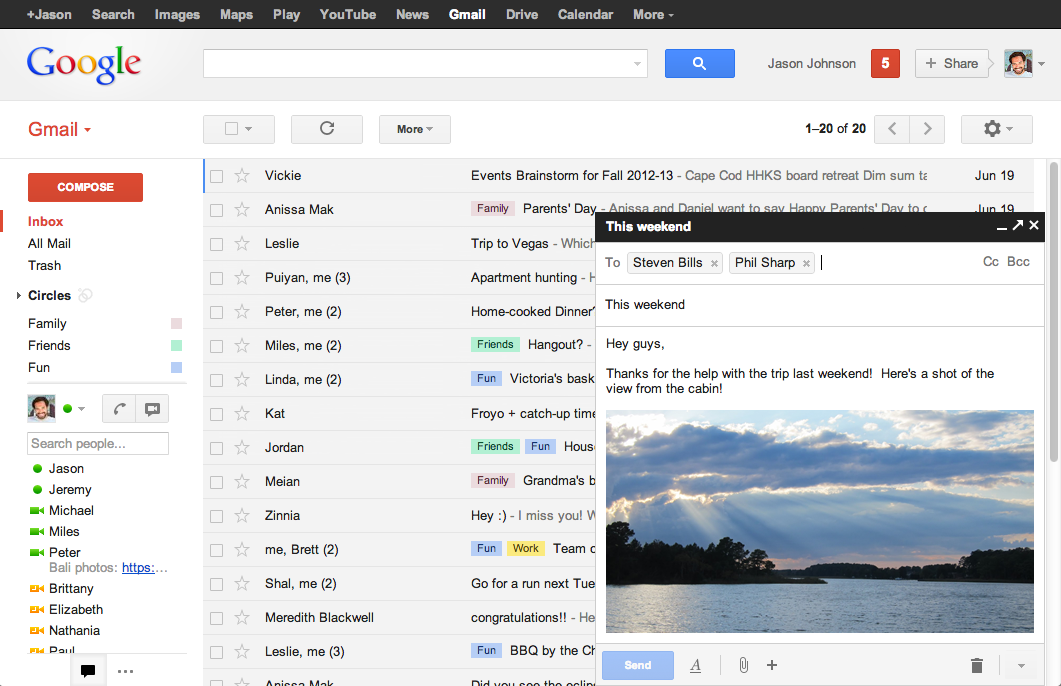
The team at Google is always trying to make Gmail faster and easier to use, so today they are introducing a completely redesigned compose and reply experience that does just that.
Faster
How many times have you been writing an email and had to reference something in another message? Saving a draft, opening the old email, and then reopening your draft wastes valuable minutes. The new compose pops up in a window, just like chats (only larger).
Easier to use
The new compose is designed to let you focus on what’s important: your message. The controls are still there when you need them but get out of the way when you don’t. We’ve even added some new features like the ability to easily insert inline images and have more to come.
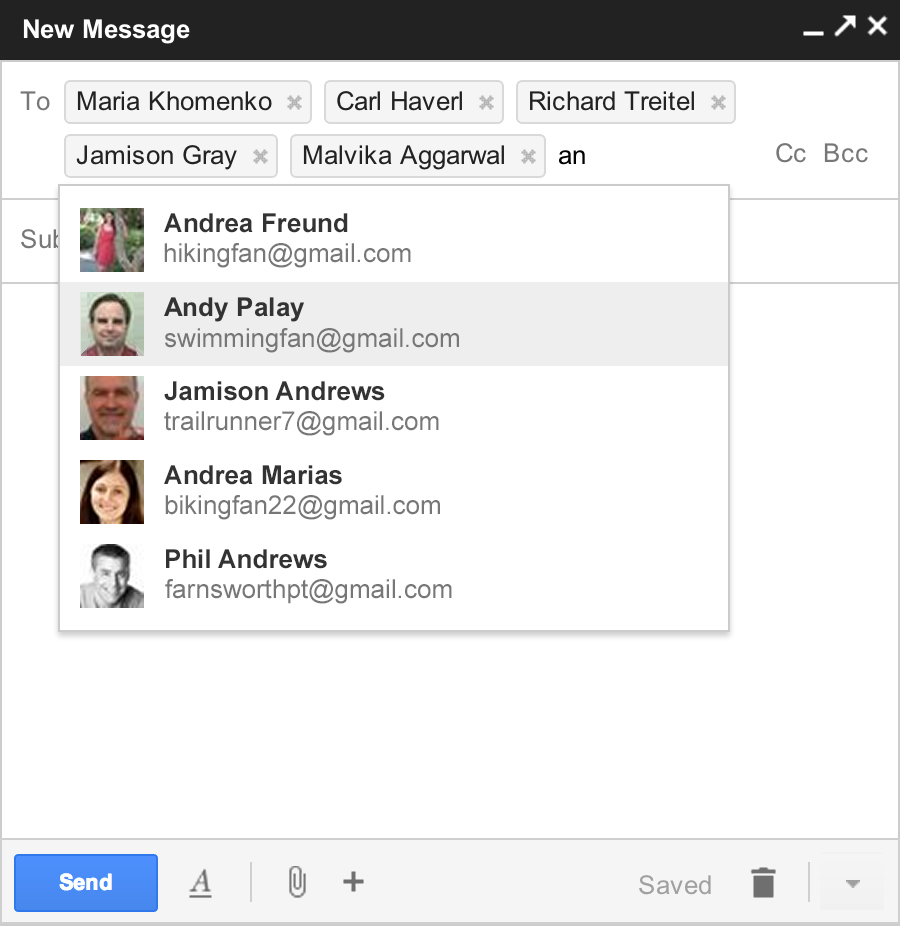
And, when you add recipients to your message, you’ll see profile pictures of your contacts in autocomplete helping you find the right person faster. You can also drag and drop the new address chips between to:, cc: and bcc:. When you’re done adding recipients, the address area collapses automatically to get out of your way.
We’re rolling out a preview of the new compose and reply today. After we’ve added some finishing touches over the coming months, we’ll enable it for everyone.
Lenovo and NVIDIA are pushing AI into its next phase, scaling real-time, production-ready systems that…
AI is changing how work gets done. It’s also changing how people feel about their…
The Tech Panda takes a look at recent funding events in the tech ecosystem, seeking…
A question that has quietly frustrated WordPress developers and the businesses that hire them for…
The Tech Panda takes a look at the efforts at skilling, upskilling, and reskilling in…
India’s digital transformation is accelerating at an unprecedented pace. From digital payments and e-governance platforms…